
Logo

Discovering CS 2

Course Description

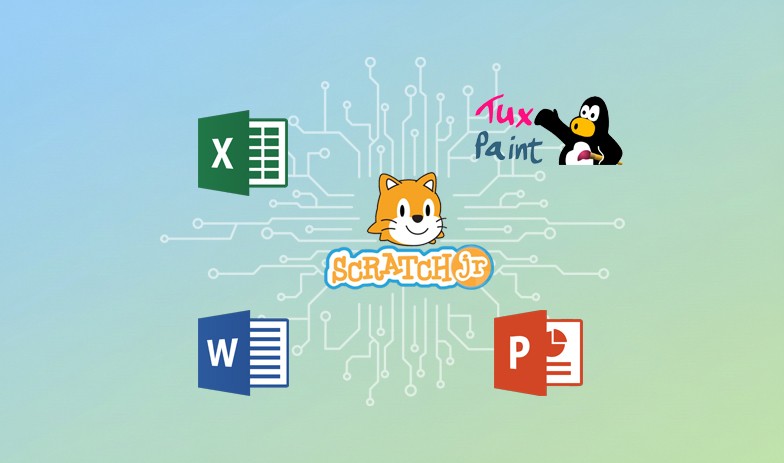
In this course, students master the essentials of computing systems, from hardware identification to basic troubleshooting and keyboarding skills. They develop computational thinking by creating animations and interactive quizzes using ScratchJr, utilizing loops, messages, and sound integration. The curriculum introduces data visualization through Microsoft Excel and explores network fundamentals. Furthermore, students engage with critical modern topics including Artificial Intelligence, digital safety, healthy screen habits, and information accuracy. Elective modules offer additional creativity through Tux Paint, Microsoft Word, and PowerPoint.

Course Learning Goals
  • Identify computer components, solve basic technical problems, and demonstrate proper device handling and keyboarding techniques.

  • Develop block-based programming skills in ScratchJr to create animations, interactive stories, and quizzes using loops and conditionals.

  • Analyze and visualize data by creating bar graphs and pie charts using Microsoft Excel.

  • Understand how devices connect to networks and the Internet to facilitate communication and collaboration.

  • Distinguish between standard and AI-powered devices and apply principles of digital citizenship, including privacy, safety, and healthy habits.

  • Create digital art and documents using productivity tools like Tux Paint, Microsoft Word, and PowerPoint (Electives).

Lessons by Units
Computing Systems and Technology
  • Understanding Computers

  • Solving Problems

  • Working with Information

  • Proper Handling of Devices

  • Keyboarding Fundamentals - 2

Moon and Stars
  • Set up the Stage

  • Waxing and Waning

  • To the Stars

Number Line
  • Set the Number line

  • Move the Pointer

  • Send Messages

Seasons
  • Stamp

  • Forever Repeat

  • Record Sound

  • End Blocks

Quiz Time!
  • Quiz Cards

  • Answers

  • Correct or Wrong?

Insights from Data
  • Bar Graphs

  • Pie Chart

Networks and the Internet
  • AI Device Comparison

  • Identifying Healthy Digital Habits

  • Safe Online Communication

  • Creating and Protecting Passwords

  • Online Consent and Privacy

  • Information Accuracy

  • Technology in Our Daily Lives

Our Digital World
  • AI Device Comparison

  • Identifying Healthy Digital Habits

  • Safe Online Communication

  • Creating and Protecting Passwords

  • Online Consent and Privacy

  • Information Accuracy

  • Technology in Our Daily Lives

Lines, Shapes and Texts
  • Lines

  • Shapes

  • Text and Labels

Tux Magic
  • Flip it!

  • Magic Tool

  • Pattern Painting

  • Picture Decorations

Shapes on Slides
  • Adding Shapes

  • Themes and Colors

  • Formatting Shapes

My First Letter
  • Introduction to Microsoft Word

  • Picture and Picture Frame

  • Formatting Text

  • Formatting Images

Computing Systems and Technology
  • Understanding Computers

  • Solving Problems

  • Working with Information

  • Proper Handling of Devices

  • Keyboarding Fundamentals - 2

Moon and Stars
  • Set up the Stage

  • Waxing and Waning

  • To the Stars

Number Line
  • Set the Number line

  • Move the Pointer

  • Send Messages

Seasons
  • Stamp

  • Forever Repeat

  • Record Sound

  • End Blocks

Quiz Time!
  • Quiz Cards

  • Answers

  • Correct or Wrong?

Insights from Data
  • Bar Graphs

  • Pie Chart

Networks and the Internet
  • AI Device Comparison

  • Identifying Healthy Digital Habits

  • Safe Online Communication

  • Creating and Protecting Passwords

  • Online Consent and Privacy

  • Information Accuracy

  • Technology in Our Daily Lives

Our Digital World
  • AI Device Comparison

  • Identifying Healthy Digital Habits

  • Safe Online Communication

  • Creating and Protecting Passwords

  • Online Consent and Privacy

  • Information Accuracy

  • Technology in Our Daily Lives

Lines, Shapes and Texts
  • Lines

  • Shapes

  • Text and Labels

Tux Magic
  • Flip it!

  • Magic Tool

  • Pattern Painting

  • Picture Decorations

Shapes on Slides
  • Adding Shapes

  • Themes and Colors

  • Formatting Shapes

My First Letter
  • Introduction to Microsoft Word

  • Picture and Picture Frame

  • Formatting Text

  • Formatting Images

Computing Systems and Technology
  • Understanding Computers

  • Solving Problems

  • Working with Information

  • Proper Handling of Devices

  • Keyboarding Fundamentals - 2

Moon and Stars
  • Set up the Stage

  • Waxing and Waning

  • To the Stars

Number Line
  • Set the Number line

  • Move the Pointer

  • Send Messages

Seasons
  • Stamp

  • Forever Repeat

  • Record Sound

  • End Blocks

Quiz Time!
  • Quiz Cards

  • Answers

  • Correct or Wrong?

Insights from Data
  • Bar Graphs

  • Pie Chart

Networks and the Internet
  • AI Device Comparison

  • Identifying Healthy Digital Habits

  • Safe Online Communication

  • Creating and Protecting Passwords

  • Online Consent and Privacy

  • Information Accuracy

  • Technology in Our Daily Lives

Our Digital World
  • AI Device Comparison

  • Identifying Healthy Digital Habits

  • Safe Online Communication

  • Creating and Protecting Passwords

  • Online Consent and Privacy

  • Information Accuracy

  • Technology in Our Daily Lives

Lines, Shapes and Texts
  • Lines

  • Shapes

  • Text and Labels

Tux Magic
  • Flip it!

  • Magic Tool

  • Pattern Painting

  • Picture Decorations

Shapes on Slides
  • Adding Shapes

  • Themes and Colors

  • Formatting Shapes

My First Letter
  • Introduction to Microsoft Word

  • Picture and Picture Frame

  • Formatting Text

  • Formatting Images

Course Information

Feature

Grade Level:

2

Feature

Grade Level:

2

Feature

Grade Level:

2

BookMark

Unit:

12

BookMark

Unit:

12

BookMark

Unit:

12

BookMark

Lessons:

43

BookMark

Lessons:

43

BookMark

Lessons:

43

Watch

Contact Hours:

34 Hours

Watch

Contact Hours:

34 Hours

Watch

Contact Hours:

34 Hours

Watch

ISBN:

978-1-68495-235-9

Watch

ISBN:

978-1-68495-235-9

Watch

ISBN:

978-1-68495-235-9

Watch

Course ID:

MCR093

Watch

Course ID:

MCR093

Watch

Course ID:

MCR093

Book
Tools and Programming Languages:

ScratchJr, Microsoft Excel, Tux Paint, Microsoft PowerPoint, Microsoft Word

Book
Tools and Programming Languages:

ScratchJr, Microsoft Excel, Tux Paint, Microsoft PowerPoint, Microsoft Word

Book
Tools and Programming Languages:

ScratchJr, Microsoft Excel, Tux Paint, Microsoft PowerPoint, Microsoft Word

Cap
Instructional Models:

Project-based learning, Inquiry-based learning, Direct Instructions, Gradual Release of Responsibility

Cap
Instructional Models:

Project-based learning, Inquiry-based learning, Direct Instructions, Gradual Release of Responsibility

Cap
Instructional Models:

Project-based learning, Inquiry-based learning, Direct Instructions, Gradual Release of Responsibility

Material
Supported Learning Models:

Classroom, Blended, Hybrid, Synchronous, Asynchronous

Material
Supported Learning Models:

Classroom, Blended, Hybrid, Synchronous, Asynchronous

Material
Supported Learning Models:

Classroom, Blended, Hybrid, Synchronous, Asynchronous