Logo

Exploring Block-based CS

Course Description

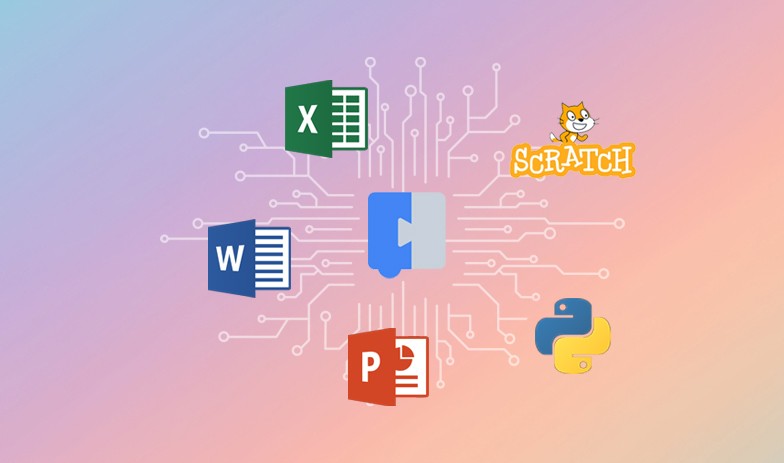
In this course, students explore a comprehensive range of computing topics, moving from foundational hardware concepts to advanced programming logic. They begin by creating dynamic visual projects and games in Scratch using loops, variables, and clones, before transitioning seamlessly to text-based coding with Python. Beyond programming, the curriculum covers essential data analysis skills in Excel, network architecture, and cybersecurity principles. Students also examine the ethical implications of the digital world, preparing them for future technology careers while mastering tools for creativity, logic, and problem-solving.

Course Learning Goals
  • Understand the core components of computing systems, including hardware, file formats, and application types.

  • Apply programming concepts such as loops, variables, and logical operators to create dynamic visual projects in Scratch.

  • Transition from block-based coding to text-based programming using Python variables, tokens, and functions.

  • Analyze and organize data sets using spreadsheet tools, including data cleaning and logical functions in Excel.

  • Explain the mechanics of digital networks, data transmission, and the importance of data security.

  • Implement cybersecurity best practices, such as encryption and access control, to protect digital identities.

Lessons by Units
Computing Systems and Technology
  • The Foundations of Computing

  • Computer Hardware and Robotics

  • Exploring File Formats

  • Desktop vs. Online Applications

‘Pen down’ Patterns
  • The Pen Tool

  • Loop the movements

  • Customize with Variables

  • Random Turns

Playtime with Clones
  • Costumes

  • Clones

  • Nested Loops

  • Logical Operator

Boat Race
  • Move with the Mouse Pointer

  • Nested conditions

  • Switching Backdrops

  • Timer

  • My Blocks

Block-based to Text-based Coding
  • My First Program

  • Variables

  • Tokens of Python

Data and Functions
  • Bit in QuBit

  • Working with Data

  • Cleaning the Data

  • Logical Functions

Networks and the Internet
  • Access Control and Authorized Users

  • Need for Cybersecurity

  • Understanding the States of Data

  • Importance of Digital Identity

  • Confidentiality and Encryption Basics

  • Online Disinhibition

  • Impact of Using Digital Devices

  • Proactive Internet Safety Measures

  • Understanding Your Digital Footprint

Safety and Cybersecurity
  • Access Control and Authorized Users

  • Need for Cybersecurity

  • Understanding the States of Data

  • Importance of Digital Identity

  • Confidentiality and Encryption Basics

  • Online Disinhibition

  • Impact of Using Digital Devices

  • Proactive Internet Safety Measures

  • Understanding Your Digital Footprint

Our Digital World
  • Exploring Tech Careers

  • AUP Compliance

  • Plagiarism's Impact

  • Understanding Fair Use

  • Generating Citations

  • History of Computing Devices

  • Identifying Workplace Technology Skills

Tables and Animations in PowerPoint
  • Tables on Slides

  • Animation Basics

  • Additional Animation Effects

Tables and Mail Merge in Word
  • Add Tables and Data

  • Mutilevel List

  • Text Styles, Labels, and Views

  • Mail Merge

Computing Systems and Technology
  • The Foundations of Computing

  • Computer Hardware and Robotics

  • Exploring File Formats

  • Desktop vs. Online Applications

‘Pen down’ Patterns
  • The Pen Tool

  • Loop the movements

  • Customize with Variables

  • Random Turns

Playtime with Clones
  • Costumes

  • Clones

  • Nested Loops

  • Logical Operator

Boat Race
  • Move with the Mouse Pointer

  • Nested conditions

  • Switching Backdrops

  • Timer

  • My Blocks

Block-based to Text-based Coding
  • My First Program

  • Variables

  • Tokens of Python

Data and Functions
  • Bit in QuBit

  • Working with Data

  • Cleaning the Data

  • Logical Functions

Networks and the Internet
  • Access Control and Authorized Users

  • Need for Cybersecurity

  • Understanding the States of Data

  • Importance of Digital Identity

  • Confidentiality and Encryption Basics

  • Online Disinhibition

  • Impact of Using Digital Devices

  • Proactive Internet Safety Measures

  • Understanding Your Digital Footprint

Safety and Cybersecurity
  • Access Control and Authorized Users

  • Need for Cybersecurity

  • Understanding the States of Data

  • Importance of Digital Identity

  • Confidentiality and Encryption Basics

  • Online Disinhibition

  • Impact of Using Digital Devices

  • Proactive Internet Safety Measures

  • Understanding Your Digital Footprint

Our Digital World
  • Exploring Tech Careers

  • AUP Compliance

  • Plagiarism's Impact

  • Understanding Fair Use

  • Generating Citations

  • History of Computing Devices

  • Identifying Workplace Technology Skills

Tables and Animations in PowerPoint
  • Tables on Slides

  • Animation Basics

  • Additional Animation Effects

Tables and Mail Merge in Word
  • Add Tables and Data

  • Mutilevel List

  • Text Styles, Labels, and Views

  • Mail Merge

Computing Systems and Technology
  • The Foundations of Computing

  • Computer Hardware and Robotics

  • Exploring File Formats

  • Desktop vs. Online Applications

‘Pen down’ Patterns
  • The Pen Tool

  • Loop the movements

  • Customize with Variables

  • Random Turns

Playtime with Clones
  • Costumes

  • Clones

  • Nested Loops

  • Logical Operator

Boat Race
  • Move with the Mouse Pointer

  • Nested conditions

  • Switching Backdrops

  • Timer

  • My Blocks

Block-based to Text-based Coding
  • My First Program

  • Variables

  • Tokens of Python

Data and Functions
  • Bit in QuBit

  • Working with Data

  • Cleaning the Data

  • Logical Functions

Networks and the Internet
  • Access Control and Authorized Users

  • Need for Cybersecurity

  • Understanding the States of Data

  • Importance of Digital Identity

  • Confidentiality and Encryption Basics

  • Online Disinhibition

  • Impact of Using Digital Devices

  • Proactive Internet Safety Measures

  • Understanding Your Digital Footprint

Safety and Cybersecurity
  • Access Control and Authorized Users

  • Need for Cybersecurity

  • Understanding the States of Data

  • Importance of Digital Identity

  • Confidentiality and Encryption Basics

  • Online Disinhibition

  • Impact of Using Digital Devices

  • Proactive Internet Safety Measures

  • Understanding Your Digital Footprint

Our Digital World
  • Exploring Tech Careers

  • AUP Compliance

  • Plagiarism's Impact

  • Understanding Fair Use

  • Generating Citations

  • History of Computing Devices

  • Identifying Workplace Technology Skills

Tables and Animations in PowerPoint
  • Tables on Slides

  • Animation Basics

  • Additional Animation Effects

Tables and Mail Merge in Word
  • Add Tables and Data

  • Mutilevel List

  • Text Styles, Labels, and Views

  • Mail Merge

Course Information

Feature

Grade Level:

Middle School

Feature

Grade Level:

Middle School

Feature

Grade Level:

Middle School

BookMark

Unit:

11

BookMark

Unit:

11

BookMark

Unit:

11

BookMark

Lessons:

49

BookMark

Lessons:

49

BookMark

Lessons:

49

Watch

Contact Hours:

55 Hours

Watch

Contact Hours:

55 Hours

Watch

Contact Hours:

55 Hours

Watch

ISBN:

978-1-68495-239-7

Watch

ISBN:

978-1-68495-239-7

Watch

ISBN:

978-1-68495-239-7

Watch

Course ID:

QCR097

Watch

Course ID:

QCR097

Watch

Course ID:

QCR097

Book
Tools and Programming Languages:

Scratch, Python, Microsoft Excel, Microsoft PowerPoint, Microsoft Word

Book
Tools and Programming Languages:

Scratch, Python, Microsoft Excel, Microsoft PowerPoint, Microsoft Word

Book
Tools and Programming Languages:

Scratch, Python, Microsoft Excel, Microsoft PowerPoint, Microsoft Word

Cap
Instructional Models:

Project-based learning Inquiry-based learning, Direct Instructions, Gradual Release of Responsibility

Cap
Instructional Models:

Project-based learning Inquiry-based learning, Direct Instructions, Gradual Release of Responsibility

Cap
Instructional Models:

Project-based learning Inquiry-based learning, Direct Instructions, Gradual Release of Responsibility

Material
Supported Learning Models:

Classroom, Blended, Hybrid, Synchronous, Asynchronous

Material
Supported Learning Models:

Classroom, Blended, Hybrid, Synchronous, Asynchronous

Material
Supported Learning Models:

Classroom, Blended, Hybrid, Synchronous, Asynchronous