Logo

Exploring CS with Python L1

Course Description

In this course, students embark on a comprehensive journey through computer science, mastering the foundations of computing systems, data management, and digital safety. The curriculum places a strong emphasis on Python programming, guiding learners from basic syntax and arithmetic operations to building complex logic and software applications. Beyond coding, students explore emerging technologies like Artificial Intelligence and physical computing with micro:bit. The course also addresses critical digital citizenship skills, including cybersecurity, encryption, and the ethical use of technology, preparing students for future tech careers.

Course Learning Goals
  • Understand the fundamentals of computing systems, including hardware, file formats, and the distinction between analogue and digital data.

  • Write, execute, and debug Python programs using variables, data types, and arithmetic operations to solve mathematical problems.

  • Apply computational thinking through the design of algorithms, flowcharts, and conditional selection statements to control program logic.

  • Plan and execute software development projects by utilizing reusable functions, input validation, and structured testing phases.

  • Explore the principles of Artificial Intelligence and create interactive physical computing projects using the micro:bit platform.

  • Manage and analyze data effectively by using spreadsheet tools for cleaning, validation, and logical decision-making.

  • Comprehend network architecture and implement data security measures, including encryption and authentication, to protect against cyber threats.

Lessons by Units
Computing Systems and Technology
  • The Foundations of Computing

  • Computer Hardware and Robotics

  • Exploring File Formats

  • Desktop vs. Online Applications

Getting Started with Python
  • First Python Program

  • Python as a Calculator

  • Variables and Arithmetic Operations

Basic Programming in Python
  • Knowing the Data Types

  • Inputs and Outputs

  • Debugging Errors

Computational Thinking and Python
  • Algorithms and Flowcharts

  • Selection Statements

  • Logic in Programming

Python and Software Development
  • Functions in Python

  • Planning a Software Development Project

  • Software Development

Artificial Intelligence and Physical Computing
  • AI and Automation

  • Physical Computing

Data and Functions
  • Digital Content and Networks

  • Data Security

Networks and the Internet
  • Digital Content and Networks

  • Data Security

Safety and Cybersecurity
  • Access Control and Authorized Users

  • Need for Cybersecurity

  • Understanding the States of Data

  • Importance of Digital Identity

  • Confidentiality and Encryption Basics

  • Online Disinhibition

  • Impact of Using Digital Devices

  • Proactive Internet Safety Measures

  • Understanding Your Digital Footprint

Our Digital World
  • Exploring Tech Careers

  • AUP Compliance

  • Plagiarism's Impact

  • Understanding Fair Use

  • Generating Citations

  • History of Computing Devices

  • Identifying Workplace Technology Skills

Tables and Animations in PowerPoint
  • Tables on Slides

  • Animation Basics

  • Additional Animation Effects

Tables and Mail Merge in Word
  • Add Tables and Data

  • Mutilevel List

  • Text Styles, Labels, and Views

  • Mail Merge

Computing Systems and Technology
  • The Foundations of Computing

  • Computer Hardware and Robotics

  • Exploring File Formats

  • Desktop vs. Online Applications

Getting Started with Python
  • First Python Program

  • Python as a Calculator

  • Variables and Arithmetic Operations

Basic Programming in Python
  • Knowing the Data Types

  • Inputs and Outputs

  • Debugging Errors

Computational Thinking and Python
  • Algorithms and Flowcharts

  • Selection Statements

  • Logic in Programming

Python and Software Development
  • Functions in Python

  • Planning a Software Development Project

  • Software Development

Artificial Intelligence and Physical Computing
  • AI and Automation

  • Physical Computing

Data and Functions
  • Digital Content and Networks

  • Data Security

Networks and the Internet
  • Digital Content and Networks

  • Data Security

Safety and Cybersecurity
  • Access Control and Authorized Users

  • Need for Cybersecurity

  • Understanding the States of Data

  • Importance of Digital Identity

  • Confidentiality and Encryption Basics

  • Online Disinhibition

  • Impact of Using Digital Devices

  • Proactive Internet Safety Measures

  • Understanding Your Digital Footprint

Our Digital World
  • Exploring Tech Careers

  • AUP Compliance

  • Plagiarism's Impact

  • Understanding Fair Use

  • Generating Citations

  • History of Computing Devices

  • Identifying Workplace Technology Skills

Tables and Animations in PowerPoint
  • Tables on Slides

  • Animation Basics

  • Additional Animation Effects

Tables and Mail Merge in Word
  • Add Tables and Data

  • Mutilevel List

  • Text Styles, Labels, and Views

  • Mail Merge

Computing Systems and Technology
  • The Foundations of Computing

  • Computer Hardware and Robotics

  • Exploring File Formats

  • Desktop vs. Online Applications

Getting Started with Python
  • First Python Program

  • Python as a Calculator

  • Variables and Arithmetic Operations

Basic Programming in Python
  • Knowing the Data Types

  • Inputs and Outputs

  • Debugging Errors

Computational Thinking and Python
  • Algorithms and Flowcharts

  • Selection Statements

  • Logic in Programming

Python and Software Development
  • Functions in Python

  • Planning a Software Development Project

  • Software Development

Artificial Intelligence and Physical Computing
  • AI and Automation

  • Physical Computing

Data and Functions
  • Digital Content and Networks

  • Data Security

Networks and the Internet
  • Digital Content and Networks

  • Data Security

Safety and Cybersecurity
  • Access Control and Authorized Users

  • Need for Cybersecurity

  • Understanding the States of Data

  • Importance of Digital Identity

  • Confidentiality and Encryption Basics

  • Online Disinhibition

  • Impact of Using Digital Devices

  • Proactive Internet Safety Measures

  • Understanding Your Digital Footprint

Our Digital World
  • Exploring Tech Careers

  • AUP Compliance

  • Plagiarism's Impact

  • Understanding Fair Use

  • Generating Citations

  • History of Computing Devices

  • Identifying Workplace Technology Skills

Tables and Animations in PowerPoint
  • Tables on Slides

  • Animation Basics

  • Additional Animation Effects

Tables and Mail Merge in Word
  • Add Tables and Data

  • Mutilevel List

  • Text Styles, Labels, and Views

  • Mail Merge

Course Information

Feature

Grade Level:

Middle School

Feature

Grade Level:

Middle School

Feature

Grade Level:

Middle School

BookMark

Unit:

12

BookMark

Unit:

12

BookMark

Unit:

12

BookMark

Lessons:

47

BookMark

Lessons:

47

BookMark

Lessons:

47

Watch

Contact Hours:

61 Hours

Watch

Contact Hours:

61 Hours

Watch

Contact Hours:

61 Hours

Watch

ISBN:

978-1-68495-240-3

Watch

ISBN:

978-1-68495-240-3

Watch

ISBN:

978-1-68495-240-3

Watch

Course ID:

QCR107

Watch

Course ID:

QCR107

Watch

Course ID:

QCR107

Book
Tools and Programming Languages:

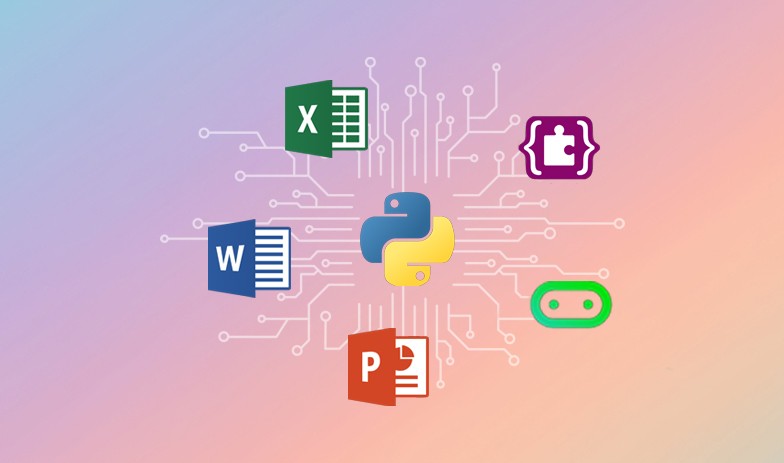
Python, MakeCode, micro:bit, Microsoft Excel, Microsoft PowerPoint, Microsoft Word

Book
Tools and Programming Languages:

Python, MakeCode, micro:bit, Microsoft Excel, Microsoft PowerPoint, Microsoft Word

Book
Tools and Programming Languages:

Python, MakeCode, micro:bit, Microsoft Excel, Microsoft PowerPoint, Microsoft Word

Cap
Instructional Models:

Project-based learning Inquiry-based learning, Direct Instructions, Gradual Release of Responsibility

Cap
Instructional Models:

Project-based learning Inquiry-based learning, Direct Instructions, Gradual Release of Responsibility

Cap
Instructional Models:

Project-based learning Inquiry-based learning, Direct Instructions, Gradual Release of Responsibility

Material
Supported Learning Models:

Classroom, Blended, Hybrid, Synchronous, Asynchronous

Material
Supported Learning Models:

Classroom, Blended, Hybrid, Synchronous, Asynchronous

Material
Supported Learning Models:

Classroom, Blended, Hybrid, Synchronous, Asynchronous