Logo

Exploring CS with Web Design

Course Description

In this course, students embark on a comprehensive journey through computer science and digital design. They explore the inner workings of computing systems, binary representation, and logic gates before mastering web development using Google Sites to build professional portfolios. The curriculum extends to data analysis using Excel, covering computational models and data cleaning. Furthermore, learners investigate network protocols, cybersecurity measures, and the Internet of Things, while cultivating responsible digital citizenship through lessons on ethics, safety, and intellectual property.

Course Learning Goals
  • Analyze the function of digital devices, software systems, and data representation using binary and logic gates.

  • Design, structure, and publish multi-page websites using Google Sites, incorporating multimedia and navigation elements.

  • Apply computational thinking to clean, validate, and visualize data using spreadsheet functions and charts.

  • Evaluate network technologies, wireless communication, and security protocols like encryption and DNS.

  • Identify cybersecurity threats and implement safety measures to protect personal data and digital identity.

  • Demonstrate responsible digital citizenship by understanding ethics, intellectual property, and online privacy.

  • Explore the Internet of Things (IoT) and its impact on daily life and organizational efficiency.

  • Investigate career pathways in technology and the necessary skills for professional growth.

Lessons by Units
Computing Systems and Technology
  • Digital Devices and Software

  • Binary Numbers

  • Logic Gates

  • Recent Technological Advances

  • Securing data

Personal Portfolio
  • Create Your Own Website

  • More on Home Page

  • Add a Webpage

  • Sections and Collapsible Groups

Web pages in a Website
  • Home Page with Header and Footer

  • Layouts and Images in Web Pages

  • Image Carousel and Navigation

Completing the Website
  • Embed Web Pages and Videos

  • Share and Publish the Website

Data and Computation
  • Bits for Colors

  • Working with Data

  • Data Cleaning

  • Computatational Models

Networks and Digital Communication
  • Network and Data Transmission

  • Accessing the Web

  • Network Security

Safety and Cybersecurity
  • Responsible Communication

  • Ethical Tech Practices

  • Ethical Data Use

  • Intellectual Property and Fair Use

  • Responsible Collaboration

  • Tech Career Paths

Our Digital World
  • Responsible Communication

  • Ethical Tech Practices

  • Ethical Data Use

  • Intellectual Property and Fair Use

  • Responsible Collaboration

  • Tech Career Paths

Multimedia and Objects
  • Images and Object Arrangement

  • Slide Management

  • Special Tools and Slide Design

Advanced Document Formatting
  • Page Formatting

  • Adding Images and Watermark

  • References

Computing Systems and Technology
  • Digital Devices and Software

  • Binary Numbers

  • Logic Gates

  • Recent Technological Advances

  • Securing data

Personal Portfolio
  • Create Your Own Website

  • More on Home Page

  • Add a Webpage

  • Sections and Collapsible Groups

Web pages in a Website
  • Home Page with Header and Footer

  • Layouts and Images in Web Pages

  • Image Carousel and Navigation

Completing the Website
  • Embed Web Pages and Videos

  • Share and Publish the Website

Data and Computation
  • Bits for Colors

  • Working with Data

  • Data Cleaning

  • Computatational Models

Networks and Digital Communication
  • Network and Data Transmission

  • Accessing the Web

  • Network Security

Safety and Cybersecurity
  • Responsible Communication

  • Ethical Tech Practices

  • Ethical Data Use

  • Intellectual Property and Fair Use

  • Responsible Collaboration

  • Tech Career Paths

Our Digital World
  • Responsible Communication

  • Ethical Tech Practices

  • Ethical Data Use

  • Intellectual Property and Fair Use

  • Responsible Collaboration

  • Tech Career Paths

Multimedia and Objects
  • Images and Object Arrangement

  • Slide Management

  • Special Tools and Slide Design

Advanced Document Formatting
  • Page Formatting

  • Adding Images and Watermark

  • References

Computing Systems and Technology
  • Digital Devices and Software

  • Binary Numbers

  • Logic Gates

  • Recent Technological Advances

  • Securing data

Personal Portfolio
  • Create Your Own Website

  • More on Home Page

  • Add a Webpage

  • Sections and Collapsible Groups

Web pages in a Website
  • Home Page with Header and Footer

  • Layouts and Images in Web Pages

  • Image Carousel and Navigation

Completing the Website
  • Embed Web Pages and Videos

  • Share and Publish the Website

Data and Computation
  • Bits for Colors

  • Working with Data

  • Data Cleaning

  • Computatational Models

Networks and Digital Communication
  • Network and Data Transmission

  • Accessing the Web

  • Network Security

Safety and Cybersecurity
  • Responsible Communication

  • Ethical Tech Practices

  • Ethical Data Use

  • Intellectual Property and Fair Use

  • Responsible Collaboration

  • Tech Career Paths

Our Digital World
  • Responsible Communication

  • Ethical Tech Practices

  • Ethical Data Use

  • Intellectual Property and Fair Use

  • Responsible Collaboration

  • Tech Career Paths

Multimedia and Objects
  • Images and Object Arrangement

  • Slide Management

  • Special Tools and Slide Design

Advanced Document Formatting
  • Page Formatting

  • Adding Images and Watermark

  • References

Course Information

Feature

Grade Level:

Middle School

Feature

Grade Level:

Middle School

Feature

Grade Level:

Middle School

BookMark

Unit:

10

BookMark

Unit:

10

BookMark

Unit:

10

BookMark

Lessons:

39

BookMark

Lessons:

39

BookMark

Lessons:

39

Watch

Contact Hours:

46 Hours

Watch

Contact Hours:

46 Hours

Watch

Contact Hours:

46 Hours

Watch

ISBN:

978-1-68495-251-9

Watch

ISBN:

978-1-68495-251-9

Watch

ISBN:

978-1-68495-251-9

Watch

Course ID:

RCR116

Watch

Course ID:

RCR116

Watch

Course ID:

RCR116

Book
Tools and Programming Languages:

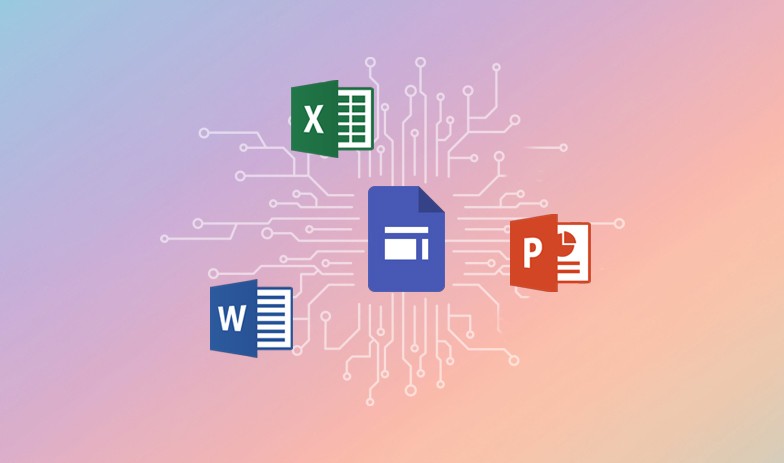
Google Sites, Microsoft Excel, Microsoft PowerPoint, Microsoft Word

Book
Tools and Programming Languages:

Google Sites, Microsoft Excel, Microsoft PowerPoint, Microsoft Word

Book
Tools and Programming Languages:

Google Sites, Microsoft Excel, Microsoft PowerPoint, Microsoft Word

Cap
Instructional Models:

Project-based learning Inquiry-based learning, Direct Instructions, Gradual Release of Responsibility

Cap
Instructional Models:

Project-based learning Inquiry-based learning, Direct Instructions, Gradual Release of Responsibility

Cap
Instructional Models:

Project-based learning Inquiry-based learning, Direct Instructions, Gradual Release of Responsibility

Material
Supported Learning Models:

Classroom, Blended, Hybrid, Synchronous, Asynchronous

Material
Supported Learning Models:

Classroom, Blended, Hybrid, Synchronous, Asynchronous

Material
Supported Learning Models:

Classroom, Blended, Hybrid, Synchronous, Asynchronous